ProEthica Overview
ProEthica is a research and teaching tool for studying the published opinions of a professional ethics board. It uses ontology-guided extraction with large language models to build source-linked representations of each case, which support case comparison and analytical views. Case Corpus and Sources describes the opinions and their source.
System Capabilities
ProEthica analyzes ethics cases from professional boards (such as the NSPE Board of Ethical Review) using a formal nine-component framework. The system:
- Extracts structured entities from case narratives (Roles, States, Resources, Principles, Obligations, Constraints, Capabilities, Actions, Events)
- Maps relationships between ethical concepts using ontology-based representation
- Discovers precedents by finding semantically similar cases
- Supports iterative refinement through entity review and validation
Processing Modes
ProEthica supports two modes for case analysis.
Manual Mode (Step-by-Step)
Each extraction step is executed individually with full visibility into LLM interactions:
- Prompt and response visibility - The exact inputs and outputs at each step are displayed
- Pre-commit review - Extracted entities can be examined before saving to the ontology
- Entity removal - Incorrect entities can be removed during review
Manual mode provides transparency into the extraction process and is suitable for validating results.
Pipeline Mode (Automated)
Cases are queued for batch processing through all extraction steps:
- Background execution - Cases process automatically
- Queue management - Multiple cases can be added and monitored from the dashboard
- Consistent processing - The same extraction steps are applied uniformly across cases
Pipeline mode is suitable for processing multiple cases after the extraction process is understood.
Manual mode is accessed from the case pipeline dashboard (requires login). Steps must be processed in sequence; completed steps display as green. See Running Extractions for details. Pipeline mode is accessed from Tools > Batch Processing (requires admin login).
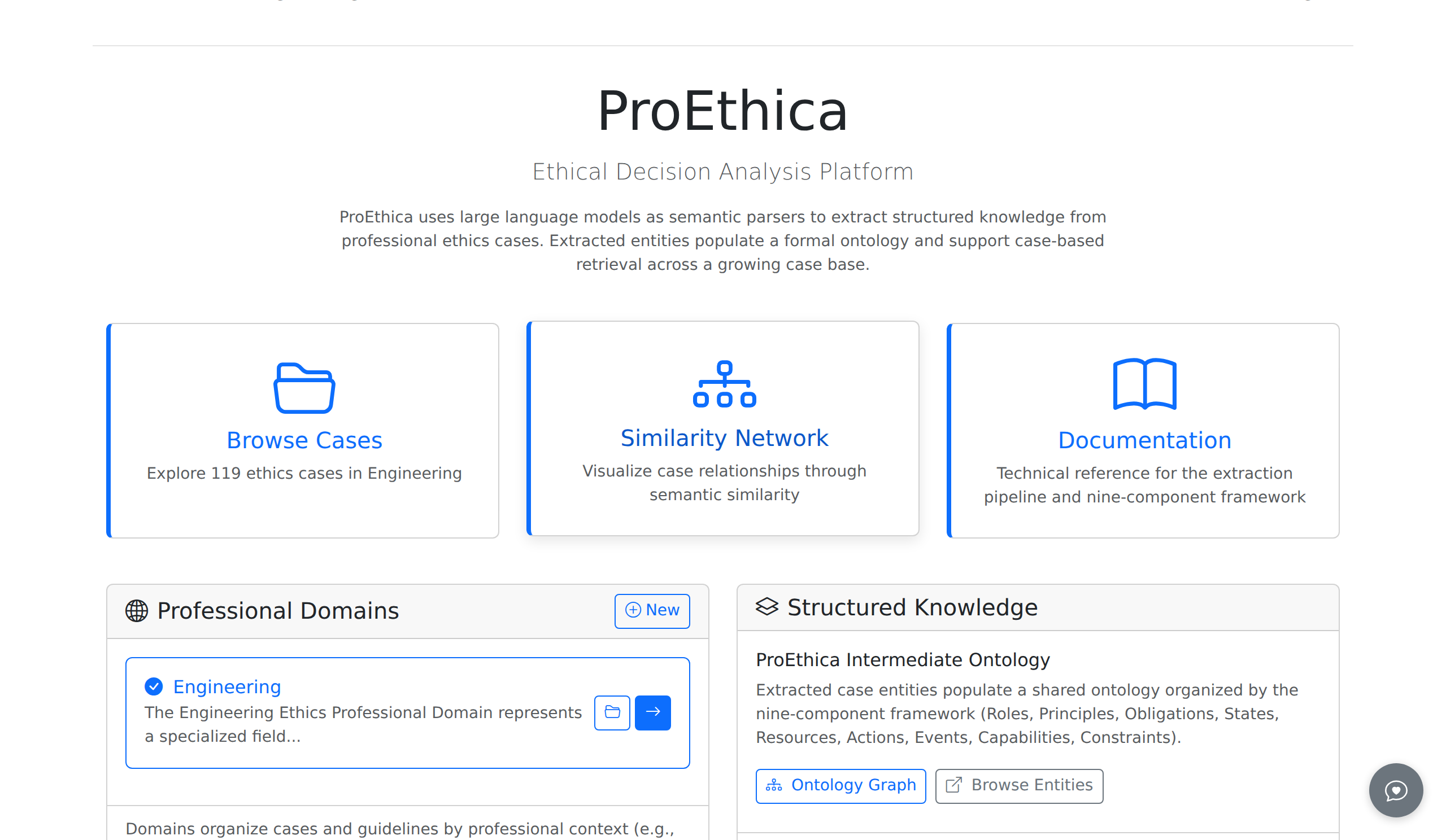
Home Page Entry Points
The home page provides three entry points:
| Card | Function |
|---|---|
| Browse Cases | Access the case repository |
| Similarity Network | Explore semantic similarity between cases |
| Documentation | Access this documentation |
Professional Domains
The left panel displays available professional domains. The current implementation includes Engineering Ethics; additional domains can be configured. Each domain contains:
- Ethics cases from professional review boards
- Domain-specific ontologies and guidelines
- Precedent relationships between cases
The folder icon opens the case browser for a domain.
Structured Knowledge
The right panel displays the ontology connection and access points:
- ProEthica Intermediate Ontology -- shared professional-ethics concepts that specialize the nine component types, which the ProEthica Core Ontology defines. Entities extracted from cases are linked to these ontologies; Ontology Integration describes the layers and the files that hold them.
- Ontology Graph link opens the visual ontology browser on OntServe
- Browse Entities link opens the OntServe entity browser for the proethica-intermediate ontology
Ontologies are managed via the OntServe web interface.
Analysis Workflow
The standard workflow proceeds through the following stages:
- Domain selection from the Professional Domains panel
- Case browsing or upload
- Extraction pipeline execution (Steps 1-4)
- Entity review and validation
- Precedent discovery through similarity matching
- Interactive scenario exploration (Step 5: Narrative Overview, Entity Timeline, Decision Wizard)
Related Documentation
- Interface Overview - Navigation and UI elements
- Case Corpus and Sources - The NSPE opinions and their source
- Upload Cases - Adding cases to the repository
- Nine-Component Framework - Methodology reference